Updates on the Internet and its social and public policy implications, useful websites, political/cultural musings and more from a UK-based academic, internet consultant and journalist

Archive for the 'Positive uses of technology' Category | back to home

2 December 2010

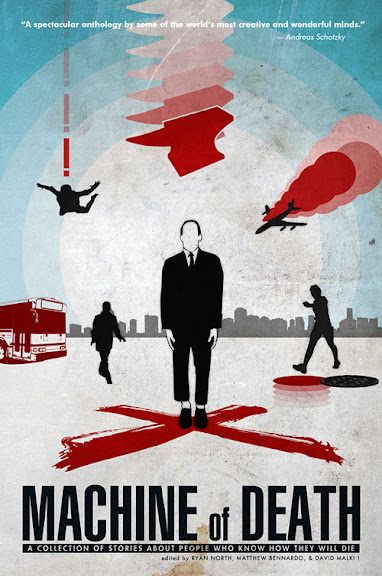
Machine of death cover

This podcast interview by Jesse Brown with the creator of Dinosaur Comics and this web interview about the brief but dazzling success of a short story collection, ‘Machine of Death are interesting at a number of levels.

Briefly, a group of well-known web comic creators got together and found contributors from among their readers for this short story collection that they would then illustrate. No mainstream publisher would touch it because it didn’t contain material from authors they recognised, so they thought they would self-publish it. And they organized the fan base they had gathered from their web comic activity to buy the book all at once in order to get media attention. It worked and the book hit number 1 for several hours on Amazon US (though as they said it only took “thousands” of sales to do this – it’s now at #1192). A few days later, they released the full text of the book free as a downloadable PDF.

This phenomenon has naturally excited a number of the proponents of “new authorship” models and it is indeed an impressive achievement, but I would add a few cautionary notes to this tale:

Ryan North says he is able to make a ‘comfortable living’ from t-shirt sales driven by his free online comic strip but wouldn’t say how much this amounted to (and his standards of ‘comfortable’ may have been formed by his recent status as an impecunious grad student).

It benefited from promotion by the fan bases of several well-known web comics authors, was promoted on a number of very prominent sites like boingboing, and falls into the sci-fi/fantasy genre. It may even be a great read (I don’t know yet but I have started downloading the podcast). Taken together this constitutes a nearly ‘perfect storm’ in favour of this book.

The broader question for the future of this model has to be how replicable it is. At the moment this is newsworthy – the economic significance of online-driven publication will be proven when tens of thousands instead of (I’m guessing) a few hundred authors can earn enough in this way to afford to bypass the conventional publishing system.

Of course none of this should take away from the fact that even if this is not the start of an economic revolution for new authors it may well be the start of a cultural revolution enabling many more people to become published authors (even if with a rather different notion of what being ‘published’ means). It is this as much as anything else I intend to explore in my upcoming research.

13 July 2010

I am working on a presentation for IAMCR 2010 about the need to adjust media literacy education to encompass new forms of online practice and I would value your help, fellow netizens and academics. I am looking for references to the potential benefits that can be derived by individuals from their social media use. So far I have come up with the following categories and key texts:

  • Building and maintaining social capital (Steinfield, C., Ellison, N., & Lampe, C. (2008). Social capital, self-esteem, and use of online social network sites:A longitudinal analysis. Journal of Applied Developmental Psychology, 29(6), 434-445.)
  • Finding one’s voice politically (Rodríguez, C. (2001). Fissures in the mediascape: an international study of citizens’ media. Cresskill, N.J.: Hampton Press.) (maybe also Couldry’s new “Why Voice Matters”? though I have not had the chance to read it yet)
  • Finding one’s voice culturally/creatively
  • Having a space to reflect on one’s self-identity (Stern, S. (2008). Producing Sites, Exploring Identities: Youth Online Authorship. In D. Buckingham (Ed.), Youth, Identity, and Digital Media (Vol. -, pp. 95-117). Chicago.
  • Having the opportunity to reflect critically on media products through increased familiarity with media forms Jenkins, H. (2006). Confronting the Challenges of Participatory Culture: Media Education for the 21st Century.
  • Learning employment-related content creation skills

Are there any important categories I have missed? And what are the best empirical and theoretical references you would suggest that could relate to each of these themes?

I’ll add a link to my presentation here as soon as I upload it after the conference.

13 June 2010

I read a profile of Lu Xun (魯迅) in the Guardian which describes him as “China’s Dickens and Joyce rolled into one”. Surrounded as I am at the moment by Chinese students I was keen to learn more but I thought there might be little available in English – at least not for free. In an article I wrote ten years ago for Salon – The US-Wide Web I bemoaned the fact that the internet appeared to be dominated by the English language and by American content. Of course a lot has changed since then but I was still surprised to find that a free creative commons audiobook in English of some of his stories is available as well as some English translations as text online. Hurray for Creative Commons, the public domain and the internet!

PS if you are Chinese please comment and tell me what you think about Lu Xun and how his work and his place in China today have been described in the Guardian…

19 March 2010

Realtime UK train timetables have been around for a while but I have long wished the same were available for buses. Turns out that it has been for a while – Traveline NextBuses either gives you the next scheduled time or the next estimated time of arrival for buses near you across much of the UK. Excellent!

24 November 2008

I’m busy downloading the demo of Red Alert 3 to celebrate making progress on my thesis and I thought I would try out BBC iPlayer’s streaming video option to watch Survivors at “high definition”. To my surprise the BBC video is quite close to download quality even while I’m downloading the demo at 400Kbps! I was dismissive of the likelihood that people would bother watching BBC TV live on iPlayer but at this quality it would be quite bearable.

And I’m old enough to remember waiting for plain text web pages to load in Mosaic…

PS I am enjoying Survivors so far even though it is hardly sophisticated entertainment…

29 May 2008

Pat Miller explains how to surf the web, word process, email, do instant messaging and even make Internet phone calls all with a Nintendo DS.

Mind you, at least in the UK at £79 the DS is actually more expensive than an XO (the “one laptop per child“) would be (if we could buy one), and of course it lacks a keyboard. But doing all that on something that was designed to play simple games would certainly be good for one’s geek cred.

12 March 2008
Filed under:Personal, Positive uses of technology at3:41 pm

I just realised I have made at least 55 edits on wikipedia since mid-2005 (I don’t always remember to log in so some won’t show up). Recursively enough my last edit was to fix a link to We Think, a new book about online collaboration…

11 February 2008

Thanks to a BBC programme, Costing the Earth, I just heard about Desertec, a proposal to provide 10-25% of Europe’s electricity via solar power panels in the deserts of North Africa. What I thought was particularly impressive is the claim that the solar panels could provide a three-fold benefit for these African nations. They’d sell the power, of course, but they would also get desalinated water (because this is needed to run the power plants) and they could grow crops in the shade of the giant mirrors! I always thought that the problem with remote electricity generation like this would be the losses in transmission over long distances but the people behind this concept claim that by using High Voltage Direct Current (HVDC) these losses would only amount to 10-15% of the power generated.

I have no idea whether this would be feasible, technically, politically or economically, (one critic says it would cost 0.15-0.20 euros per KWh – about double what we pay for power currently) but it sure sounds appealing on the face of it.

25 November 2006

At my local toy shop I noticed a new series of wooden toys – the BRIO Network Toys. They look cute but not exactly technically accurate… The website has flash animations and even some video clips but alas is Flash-based so no deep linking- you’ll have to explore it yourselves. Yes, the Internet really is everywhere these days!

“Viro”

25 October 2006

Back when I used to write for MacUser (14 years ago!) I had a column called “Brake’s Bunch” where I used to write about various shareware utilities, games and other files which I had found. Then I left the Mac fold for a while… but now that I am back I have slid back into the habit of gathering bits and pieces and installing them. So here is a moderately frequently updated roundup of the freeware, shareware and open source stuff I have accumulated since I got my ibook in the hope it will help some of you (this post seems to be one of the most-read ones so I hope it works!). Unless otherwise noted these are available in PC and/or Linux versions as well – if I don’t provide a link it’s because you should be able to find them by Googling for them or using MacUpdate or Version Tracker to find the relevant files. If you think there’s another game/app/utility I should take a look at or there’s a different utility available that does the same things as one I mentioned but does them better please let me know!

Items added since last major update (March) are italicised.
Games:
Alphababy – Lets your baby have fun bashing the keyboard of your Mac – it pops up shapes and makes sounds whatever they press and makes sure other applications running aren’t affected by what is typed. Whether it is a good idea to encourage your baby to bash your keyboard is up to you to decide!
Army Operations 2.5 – The best (certainly the most advanced) free game available – a first person perspective shooter. Enjoy it while you can as last I heard the guy supporting it on the Mac is no longer going to keep it up to date with the (dominant) PC version.
FreeCiv – an open source, customisable offshoot of Civ II.
triplea – A WW II strategic level game being developed as open source. The AI is basic to non-existent but if they get that and other niggling bugs sorted out it looks promising
The Ur-Quan Masters – a multi-platform port of a classic “explore the galaxy in your ship and negotiate with/kill aliens” adventure/combat game. The best Mac variant is here.
Xconq-MacOSX – An excellent open source empire building game based on the original “Empire” game. Graphically unimpressive but offers loads of options for different modes of play.
Privateer Gold – An open source copy of Wing Commander Privateer (with some added features).
Applications:
Audacity – Great open source audio editing and recording software
Chicken of the VNC – Lets me view the screen of a machine running VNC server and control it remotely (handy for using both my wife’s PC and my Mac at the same time).
Conversation – Free IRC client
Cyberduck – FTP client
Comic Life – An excellent little app that lets you take pictures from your own collection, add comic-book style speech balloons etc and create your own comic book. It’s not freeware but you can try it out for a month before it starts putting a watermark on anything you do.
Fire – Multi-platform instant message client. Similar to Proteus – which one you use is probably a matter of taste…
FreeMind – A Java-based mind mapping application
galerie – A (mac only) add-on for iPhoto that makes it easy to create photo galleries using your available web space. OK to use but I am using Flickr for this these days.
Grapher – Cool free graphing calculator
Nvu – Handy WYSIWYG web page editing software
Transana – Excellent open source software to aid transcription of video and audio files – in Alpha on the Mac but still worth checking out.

Utilities:
Active Timer – Tracks the amount of time you spend in each application on your Mac. A pretty basic feature set but it’s easy to use and it’s free.
AudioScrobbler – Tracks what you listen to in iTunes and automatically creates a profile for you on last.fm which should help you find music you like. Its support for Classical music is rubbish (it doesn’t handle the ‘composer’ tag) but otherwise well worth a look.
Aurora – An alarm clock for your Mac that ties in with iTunes – excellent!
BluePhoneMenu – Handy utility for controlling a bluetooth phone via your Mac. Since superceded by BluePhone Elite which offers more features but is shareware. Still downloadable, though.
Compost – Lets you control the way the Trash works so you can instantly delete big unwanted files without flushing all of the files in the trash unneccessarily.
Default Folder X – gives you much better control of which folder you open when you get the open/save dialogue on your Mac (as well as adding lots of other misc features). Reminds me of a very early Mac addon, ‘Boomerang’. (I still don’t know why this isn’t a part of the OS by now).
Delocalizer 1.1 – Gets rid of foreign language support files you are not using to free up hard disk space.
ION, the Open Media Network and DTV – Trying to make it easy to find and download internet video podcasts.
Greasemonkey – an add-on to Firefox that enables lots of useful enhancements to your web browsing – like Quicksilver (below) it’s something you have to try before you see what use it can be.
Eyehide – makes it easy to create an invisible, password-protected folder to hide files you don’t want everyone to have access to (so you can retain some privacy without password protecting your whole computer against everyone).
Mailtags – Must-have utility for organizing Apple Mail messages (see this post)
Memory Usage Getter – (also measures CPU usage) Figure out which of your applications is a memory or CPU hog and figure out if you need more RAM.
Quıcĸsilver – Swiss army knife keyboard shortcut application many rave about but I haven’t really delved into yet.
R-Name – Easy way to change several file names at the same time on your Mac.
Romeo – Excellent free Mac application to let you control your Mac (eg your iTunes or your Powerpoint presentation) using your Bluetooth phone
Screen Spanning Doctor – Use more than one screen or use a large screen at > 1024×768 with your iBook by installing this.
SimpleWget – Provides a basic non-control-line interface to Wget which automates copying web sites onto your hard disk for later browsing.
SMARTReporter – May be able to warn you in advance when your disk is in danger of failing.
Synk – easy-to-use file synchronisation and full disk backup app for the Mac – free to academic users, cheap for others.
Textpander – (Mac only but PC options are also available) – automatically substitutes text for other text in every application you type in – useful for common mis-spellings and can also insert the date when you type “ddate” etc.
Time Out – Warns you to take a break away from the keyboard (Mac only)
Tidy Up! – Find duplicate files
TinkerTool – gives you access to additional preference settings Apple has built into Mac OS X
VLC video player – Excellent player for many kinds of video content – more versatile than Quicktime for this and includes a full-screen mode (which Quicktime ‘basic’ does not).
WhatSize Disk Inventory X – Lets you see at a glance where the big files and folders are on your hard disk so you can free up space.
WireTap Pro – Shareware Mac utility that lets you record streamed audio into files for later listening.
Yasu 1.3.1 – Performs various low-level Mac (UNIX) “maintenance” operations. Use with caution. I have to say I only used it once so far because I am not clear what it does or why I would need it…

Update: Widgets!
How could I forget the widgets I have found (through Apple’s directory) and installed? In truth I don’t use them all that much but they are occasionally useful…

Countdown Plus – Tells you how long you have before something happens or is due.
iStat Nano – Shows memory, network and CPU use etc
CharacterPal – reminds you of the keypresses needed to produce special characters, accents etc. Also see Symbols which is not as intuitive but more powerful, including info on how to generate them in HTML as well as in Mac documents etc.
Decor – lets you stick a picture up on your dashboard
Air Traffic Control – Lets you see all of the wireless networks in your area and whether they are secure or not.
quikconvert – converts between lots of different units including currencies – just type in the number and the unit type and it will figure out what you are trying to convert to.

UK users in particular may want to check out these:
BBC Weather – lets you see the weather forecast in your area in the UK or around the world for the next 5 days. Much better (and prettier) than the US one included as standard.
Postage Calculator (Royal Mail)
Trains – see the train timetable of your choice

Next Page ?